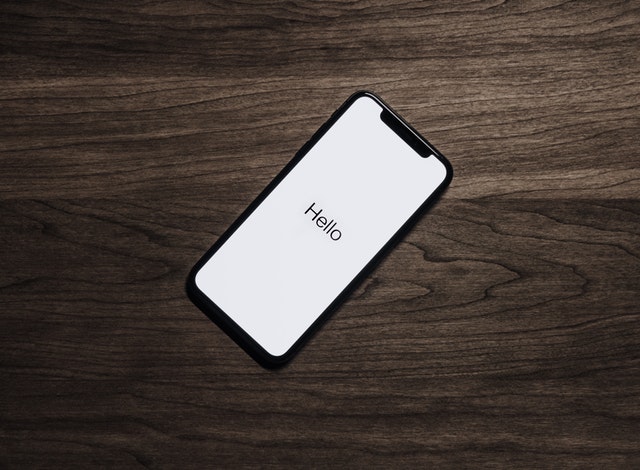
What if you didn’t need a laptop or a tablet to carry out work on the go? What if instead, you could use your smartphone?
With the right add-ons and accessories, turning your smartphone into a portable workstation can be made possible. This could give you total freedom to work from any location. Here are just several tips for creating a mobile workstation.
Take out the right contract
To get the most out of your smartphone, you need the right contract. A high data plan is recommended so that you have unlimited internet access on the go. Companies like SMARTY offer a range of data plans that could be worth looking into. Some plans even allow you to get refunded for any data that you don’t use each month.
Download the right apps
It’s important that you have all the right apps installed on your phone. Consider all the software and online tools you’d usually use on your computer for business and look for app versions that you can install on your phone. A few examples could include:
- Email apps
- Social media apps
- Bookkeeping apps
- Microsoft office apps (e.g. Word, Excel, Powerpoint)
- Project management apps
- Video-communication apps
Some of these apps won’t be as powerful as their PC versions, but they may still have enough functions to still carry out the tasks you need on the go.
Optimise your phone for business use
You can get more out of your phone by playing around with the settings and configuration.
For instance, there are many tricks for conserving data that are useful. These include disabling auto-play videos, lowering video quality and closing background apps that aren’t in use.
It could also be worth organising the layout of your app icons for easy access. All the most important apps are worth placing on your home screen so that you can easily get to them when unlocking your phone.
Buy a portable charger
Using powerful apps for work tasks like writing documents and bookkeeping could drain your phone’s battery faster than usual. Having a portable charger with you could prevent you having to find a public library or coffee bar with plug sockets.
There are two types of portable charger – power banks and battery cases. Power banks can be used on all devices but tend to be a little more bulk. A battery case fits around your phone like a phone case making it more compact. It’s likely to only fit that style of phone however, which means you’ll likely to have to buy a new battery case if you get a new phone.
Some of the best portable chargers are able to hold multiple full charges. This means that you don’t have to charge up your portable charger as regularly.
Buy a Bluetooth keyboard
Typing out lengthy emails and reports on a smartphone touchscreen keypad isn’t fun. It’s much faster to have a keyboard – which is why many people prefer laptops.
However, it’s possible to turn your phone into a laptop by buying a Bluetooth keyboard. These are wireless keyboards that connect to your phone and can be used for everything from typing out documents to sending texts.
When choosing a bluetooth keyboard, try to opt for something that’s fairly portable and long-lasting. This guide at Digital Trends offer information on some of the best Bluetooth keyboards on the market.
Consider portable wi-fi
Portable wi-fi could be an option worth looking into. This allows you to enjoy the freedom of unlimited wi-fi wherever you go without the need for a high data plan or having to log onto public wi-fi.
There are many portable wi-fi routers on the market. Many are very small and can fit right in your pocket. Some can even act as mobile hotspots for other devices if you so desire.
You’ll usually pay a monthly charge to use these routers. There are also pay-as-you-go routers that you can top up. Shop around to find a portable router best suited to your budget.
Secure your smartphone
If you’re going to be accessing sensitive business information on your phone, it’s important that your phone is secure.
Most modern phones have lock screens that can prevent strangers from accessing your phone. Biometric passwords such as fingerprints and facial recognition are some of the strongest forms of password and are worth setting up on your phone if you have this option.
Backing up your phone is also important. Many modern phones automatically back up all information on the cloud. Make sure that you haven’t disabled this function and that all your information can still be retrieved if your phone is stolen.
Take out insurance
It could also be worth insuring your phone in case it gets damaged or stolen. If you rely heavily on your smartphone for business usage on the go, having insurance could make it easier to afford repairs or a replacement if the worst happens.
Most contract providers will offer phone insurance. It’s worth shopping around to find the best rates and not just going with your contractor. Make sure to read the policies carefully so that you know exactly what your insured against.
