With the invention of digital cameras and the high-end DSLRs, smartphones with good quality cameras and other setups, it has become extremely convenient to click photos of the best quality. However, editing such photos is being regarded as the most complicated job which demands enough experience in photo editing. Nevertheless, in order to simplify your tasks, there have been several photo editor software programs which have been introduced with the sole motive of assisting the novice editors to edit photos in the most professional way. Movavi Photo Editor is one such software which has been designed in order to make it user-friendly.
Movavi has been acclaimed as the best Windows photo editor and not only that, Mac users can also edit their photos with this amazing program. Read on the concerns of this post to know more on how Movavi lets you intuitively edit your photos with ease.
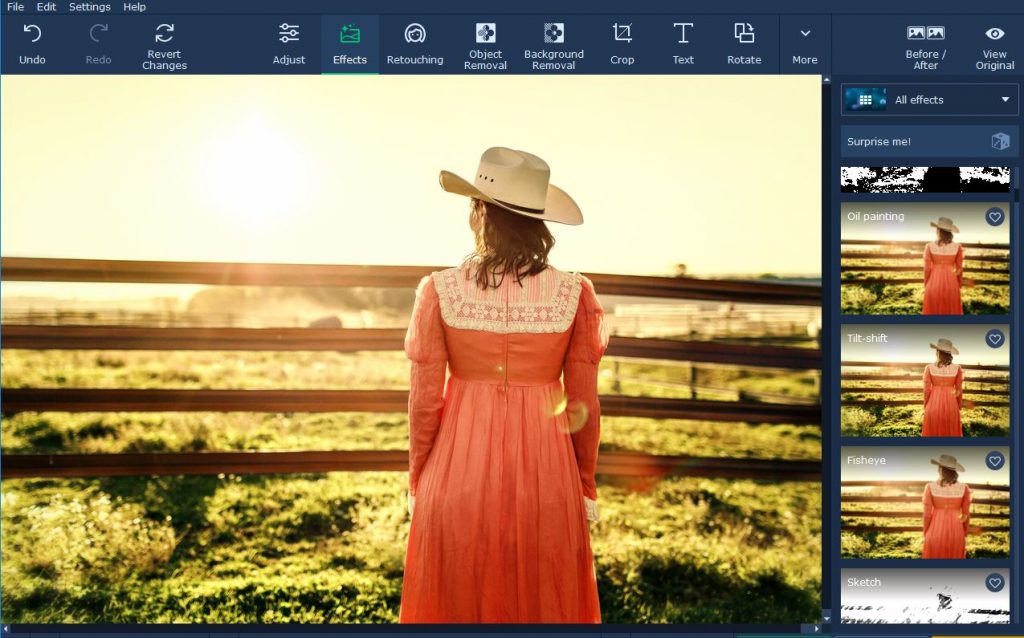
Interesting features of Movavi Photo editor
Majority are of the opinion that a photo editor that is being claimed as simple will be a basic one with rather light features. But Movavi is an exception. It can brag about its wide range of features to improve, process and also stylize images to a certain amount which is at par with other professional and renowned photo editors.
By using Movavi photo editor, you are allowed to improve the entire quality of the photos by adjusting the color manually and with the help of automatic tools. You can improve and enhance the composition and frame by rotating, cropping, resizing, flipping and levelling the frame of the picture.
For editing selfies and portraits, Movavi has to offer you with a wide array of specialized tools which you can use to smoothen wrinkles, eliminate any blemishes, whiten your teeth, apply makeup and even alter the colors of your eyes. In short, you can use it to stylize your pictures through the selection of the best filers.
Besides the, there are several other features which may even come out handy for the user. You can remove a background of a picture or replace it with a better one. In a nutshell, you’re allowed to edit the photos in any way that you want.
User-friendly nature of Movavi
Movavi is designed in such a manner that it is extremely user-friendly which is reflected in its features and interface. The user-interface is modern, clean and it organizes every single feature in a proper manner so that the user doesn’t face any difficulty in finding out any feature. At the same time, the features are designed in an easy manner where you may just need a few clicks or a drag-and-drop to adjust the sliders. In few cases, they’re automated in such a manner that editing pictures gets easier.
So, if you’re looking forward to using a photo editor which has got amazing features, Movavi Photo Editor will be the best fit. The features mentioned above will suffice your needs and will let you improve your images in any desirable way.

Leave a Reply