Are you trying to figure out how to edit your business photos? Do you want to make small adjustments to them, or maybe even stylize them in a particular way?
Being able to edit photos is an invaluable skill – but it is one that does require some experience. That being said you have to start somewhere, and it is best if you begin with some of the easier ways that beginners can edit photos.
Apply Automated Color Correction Tools
Almost every editor has automated color correction tools that will improve the white balance and color parameters. That can help to fix many of the common issues in photos that are caused by poor lighting conditions, and may make your business photos look faded out or have a slight blue tint.
Seeing as they are automated, you shouldn’t have any difficulty applying these tools and normally it will just take a single click. It may be a good idea to also try adjusting the various other color parameters in your editor manually however, so that you can see how they affect your photo’s colors.
In time that will let you fine tune the color parameters and truly correct the colors in your business photos.
Use Filters to Stylize Photos
One of the more popular ways to edit photos nowadays is to apply filters that stylize them in various ways. Some filters will essentially just apply color grading of some kind to the photo, while others perform other alterations to it and give it a different appearance.
Overall filters are an easy way to stylize photos in certain ways. The exact types of filters that are available will differ depending on the editor that you’re using, and in some there may have a setting that can be adjusted to control their intensity.
If you do apply filters to your business photos, you should try to be consistent. Think of the filters that you use as part of your businesses’ visual brand – and pick out a few that you use to stylize your photos in a uniform fashion.
Crop Photos to Improve the Frame and Composition
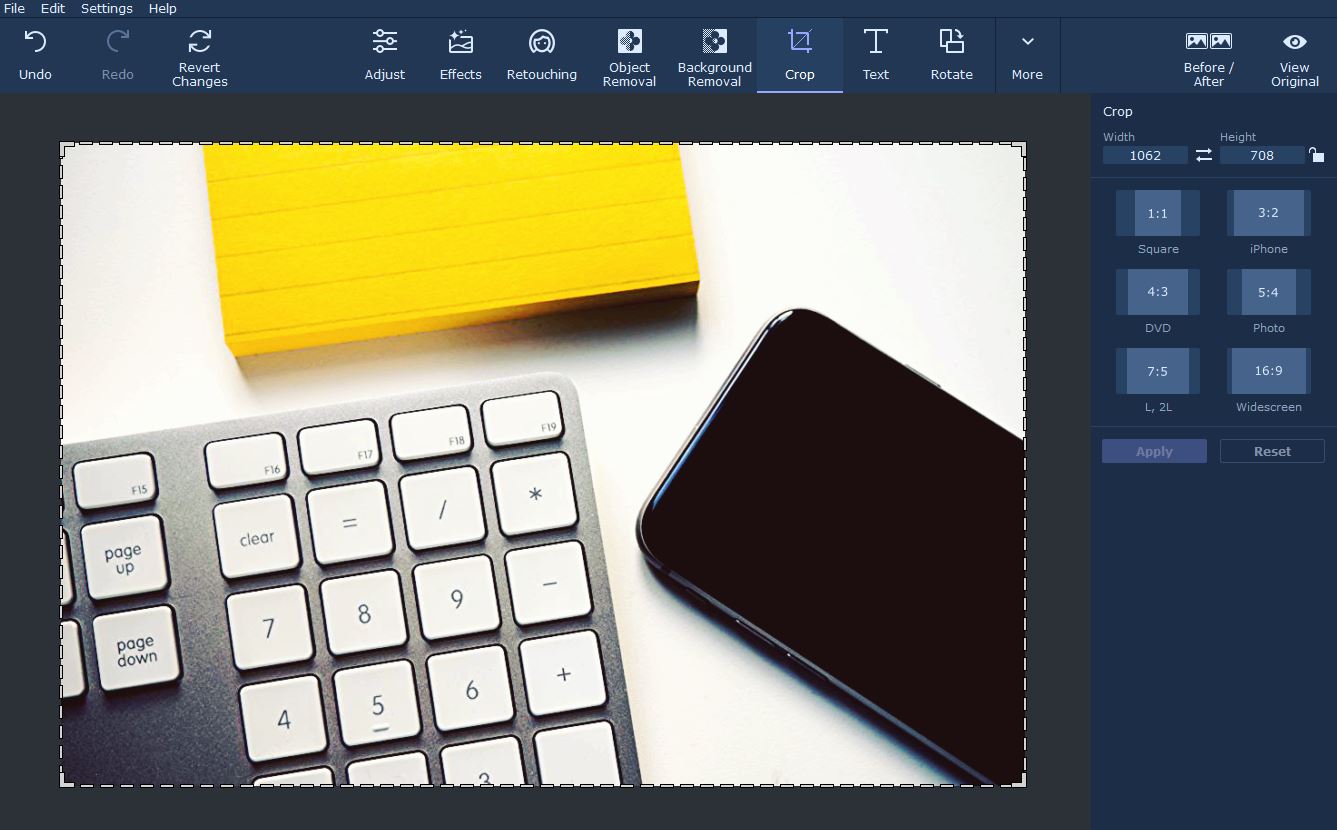
The crop tool is relatively easy to use and it will basically remove sections of your photo from its frame. By using it you can adjust the frame of your photo, improving both it as well as your photo composition in the same go.
Adjusting the frame of your business photo will let you re-frame the subject within it and at times that can dramatically alter the appearance of your entire photo. It helps if you use the crop tool in conjunction with a composition technique such as the rule of thirds that will have you align the subject and other elements based on a three by three grid.
Some editors provide the three by three grid as part of the crop tool, such as Movavi Photo Editor for Mac. In others you may need to enable it beforehand however, so you can use it as a guide.
Add and Customize Text Elements
Adding text elements to your business photos can be very useful as they can act as captions, titles or watermarks. If used well the presence of text on a photo can even help draw more attention to it.
It is important that you figure out not only how to add photos, but also customize their typography, colors, and overall style. The goal should be to ensure that the text you add fits your business photo, but at the same time contrasts against it enough that it stands out.
Final Words
The methods listed above will let you not only start editing your business photos and making improvements to them, but also ensure that you develop a keen understanding of editing along the way. By starting to edit them in the ways that are prescribed, you’ll gain experience and learn more about how the frame, composition, colors, contrast, and other areas affect your photos.
In short you should look at these methods as a starting point – one that you can build on in the future as you become more familiar with the editor you’re using and experiment with its features.

Leave a Reply