Earlier today, I installed a new genesis theme for one of my new ventures that I’ve partnered with my girlfriend called Learn Mandarin Free.
We’re going to teach Mandarin Chinese!
I love every single thing about my new theme. The only problem, the site footer looked like this.
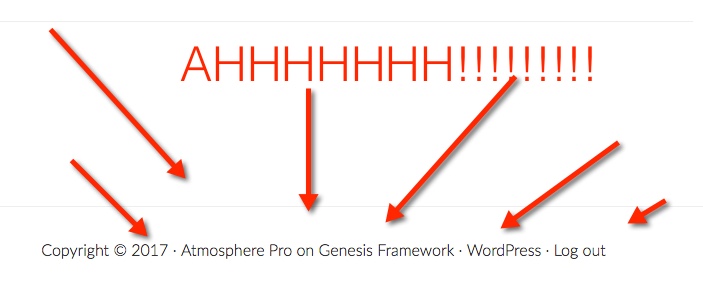
Too much! tooooo much!
Okay! installing a new theme is not my first rodeo. I’ve had experience with wordpress and editing theme (only the basic stuff). I’ve been blogging for over 6 years now.
Howvever, I couldn’t find the code to remove those yucky things in the site footer. I wanted to remove the theme credit and everything else.
So WEIRD.
Every tutorial I found online gave me tips like add this
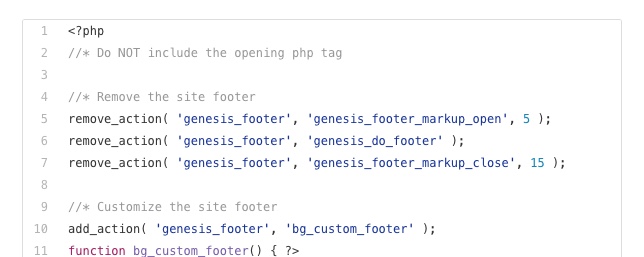
Right! I’m so not going to touch that. Here’s what those codes looked like to me
^&(@# ( ) asd ( ) # ^ * & # kdakddas @ > << >>> “:
Yup! It really looked like that to me.
After playing around with some code, I decided to give up and asked the team over at Studio Press. I emailed their support team and one hour later, they responded. They told me to install a wordpress plugin called Genesis Custom Footer.
All I had to do was install the plugin. Activate it and head over to Theme Settings under Genesis.

Next, the Genesis Custom Footer will appear on that page like this.
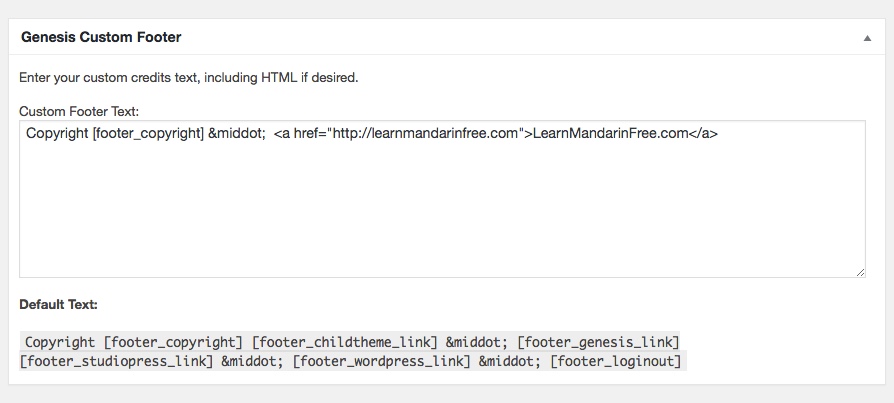
All you have to do is follow the default text given at the bottom if you want any of those text in the site footer to remain.
Alternatively, you can just put your domain name. I decided to go with a full link to link back to the blog.
Here’s what it looks like now.

Ahhh! So pretty!
I hope that helps.

Leave a Reply